Bite-Sized
Industry
Education Technology
PROJECT TYPE
Capstone Thesis
Timeline
8 months
Role
Product Designer


Overview
BiteSized is a mobile-first baking application designed to support beginner cooks by reducing overwhelm and making cooking feel more approachable, guided, and enjoyable. The system deconstructs traditional recipe formats into progressive sub-steps, allowing users to focus on one simple action at a time.
The project explores how interface design can reduce cognitive load in task-based learning environments by structuring complex processes into manageable, supportive interactions.

Understanding the gap
Most beginner bakers don’t fail because the recipe is bad, they fail because baking asks them to juggle brand-new techniques, unfamiliar terminology, and sensory cues that they’ve never seen before. This creates a learning environment where confidence matters just as much as skill.

In fact...
(Narrative Research, 2021), (Statista, 2024)
Through research and user insights, it became clear that many beginner bakers struggle with:


There is a gap between how beginners learn and how baking is typically taught
This project addresses that gap by restructuring recipes into smaller, more manageable sub-steps with optional support features such as guidance, tips, and audio assistance.
Recipe with giant wall of text

RESEARCH
Beginner Bakers Need More Than Just Recipes
To better understand the challenges beginner cooks face, user research and analysis were conducted to identify common behaviors, frustrations, and needs when interacting with recipes.
The research revealed that many users feel overwhelmed by traditional recipe formats, which often present too much information at once and assume prior knowledge.


Key Findings
Users struggle to process multiple steps presented at once
Lack of clarity in instructions leads to uncertainty and mistakes
Beginners rely on external sources (videos, tutorials) for guidance
Confidence decreases when users feel unsure about what to do next
User needs
Clear, step-by-step guidance
Simple and easy-to-understand instructions
Support available when needed (but not always visible)
A structured flow that reduces cognitive load
Existing platforms focus on what to cook, instead of how or why
Existing recipe platforms guide users through the steps, but none of them teach the why behind them. There's no mistake recovery, no confidence building, and no support for users who don't yet have the intuition to fill in the gaps. That's the space BiteSized was designed for.

Defining the opportunity
Reducing Overwhelm by Transforming Recipes into Guided Learning Experiences
The research revealed recurring pain points that informed the project's design direction and ultimately shaped the central design question.
How might we help novice cooks and bakers develop intuition in the kitchen, building confidence and a sense of capability through the process of learning?
DESIGNING BiteSized
Based on research findings, a set of design principles was established to guide key decisions throughout the project. These principles ensured the solution remained focused on clarity, simplicity, and user support.
Ideation & Early Prototyping
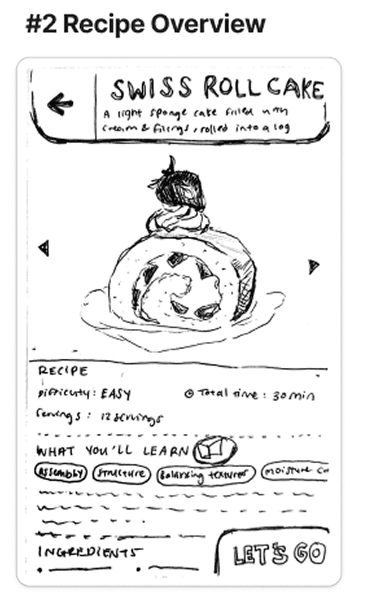
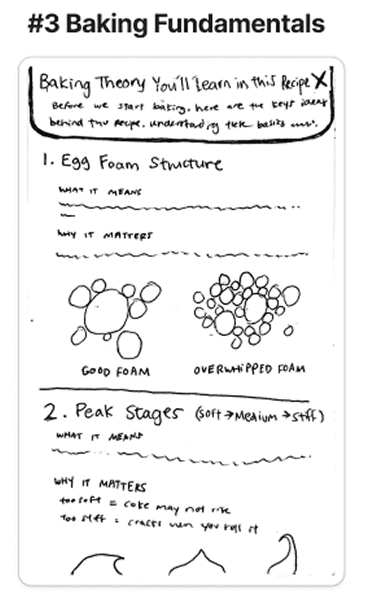
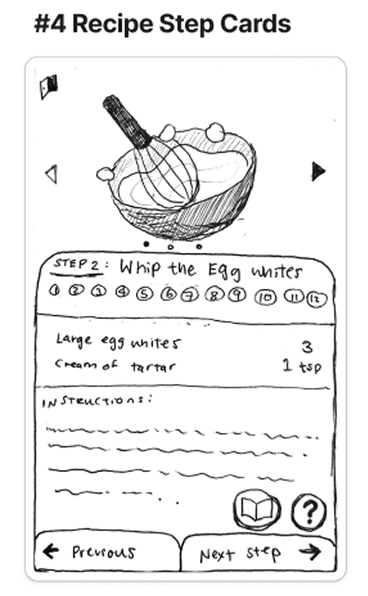
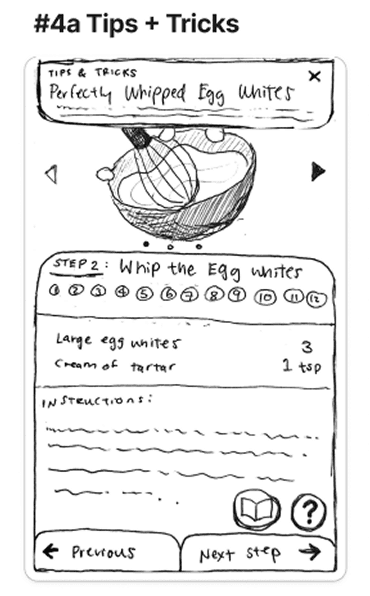
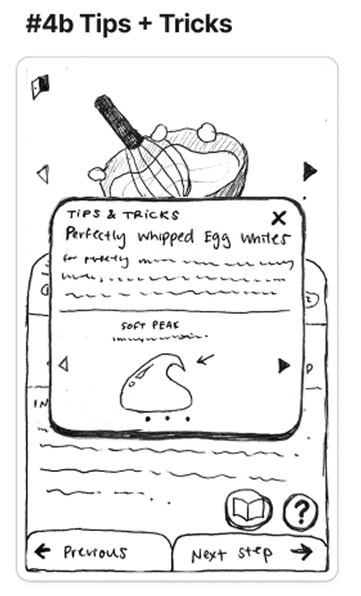
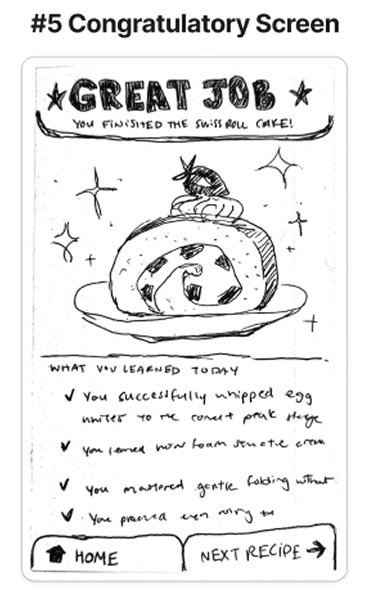
Initial concepts explored different ways to restructure traditional recipes into more manageable and user-friendly formats. Early sketches and wireframes focused on breaking down steps, simplifying information hierarchy, and testing different interaction patterns.

Paper Prototypes

Solution

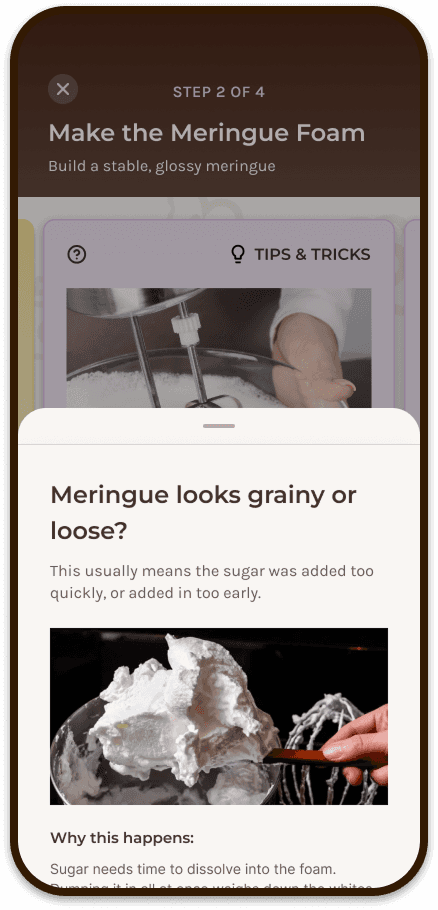
BiteSized transforms traditional recipes into a structured, step-by-step experience designed to reduce overwhelm and support beginner cooks. By breaking each recipe into small, focused actions, the interface allows users to concentrate on one task at a time while accessing additional support when needed.

The final solution combines clear hierarchy, modular components, and optional guidance features to create a cooking experience that is simple, approachable, and easy to follow in real-world use.

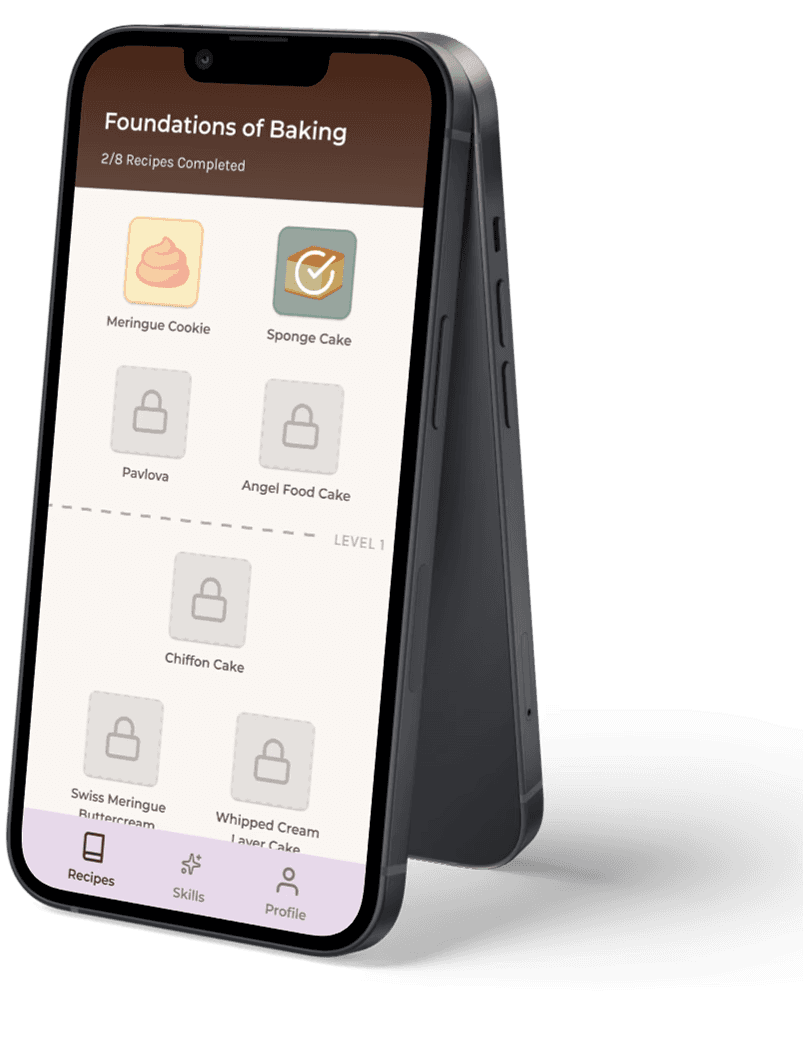
Step-by-Step System
Recipes are broken into small, sequential sub-steps, allowing users to focus on one action at a time. This structure reduces cognitive load and makes complex tasks feel more manageable.
Audio Feature
Audio playback allows users to listen to instructions hands-free, supporting multitasking and improving accessibility during cooking.
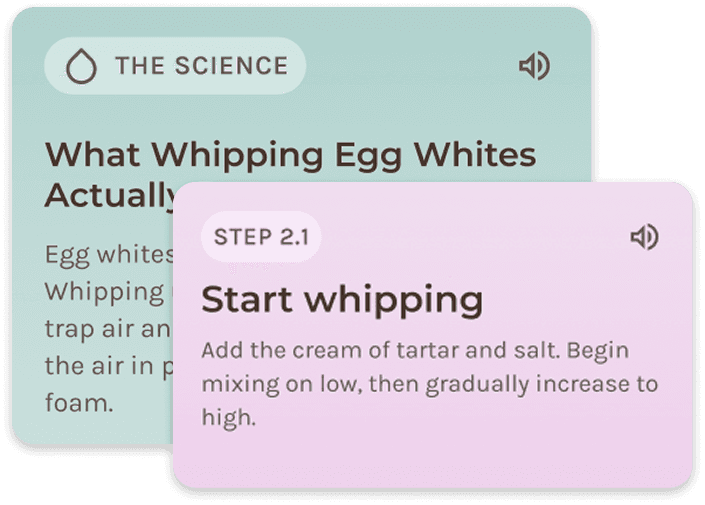

Help & Tips Overlays
Optional overlays provide additional guidance and tips when needed, without cluttering the main interface. This allows users to access support without feeling overwhelmed.
Progressive Disclosure
Information is revealed gradually, showing only what is necessary at each step. This approach keeps the interface clean and focused while still offering deeper support when required.

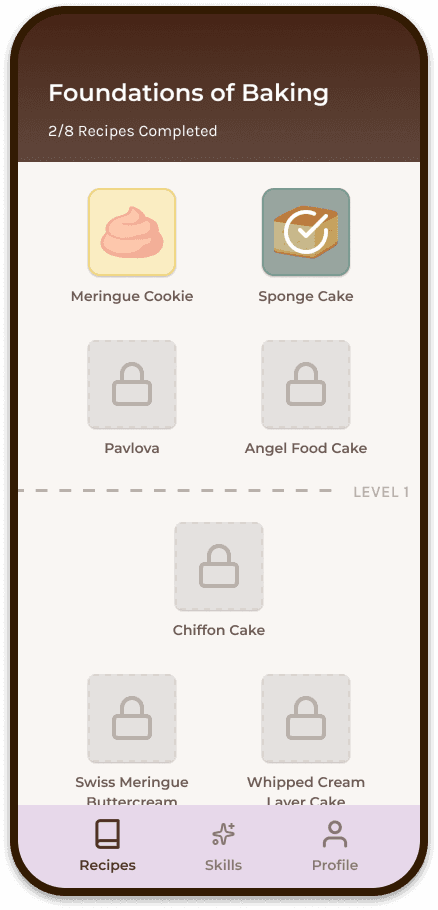


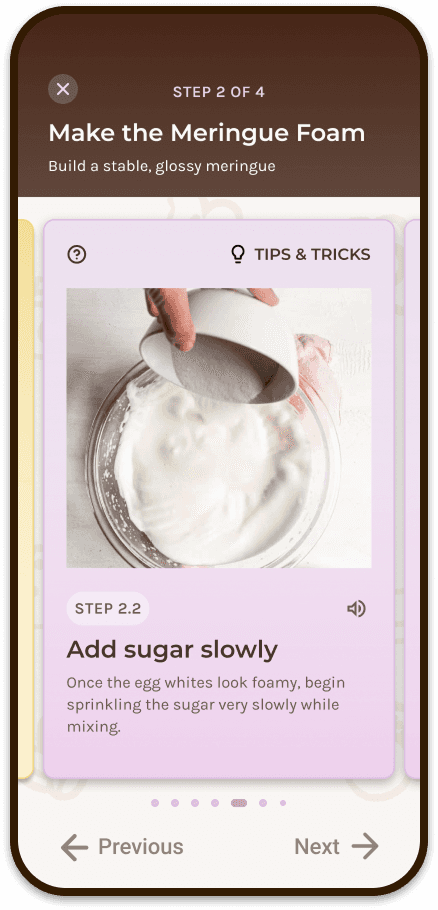
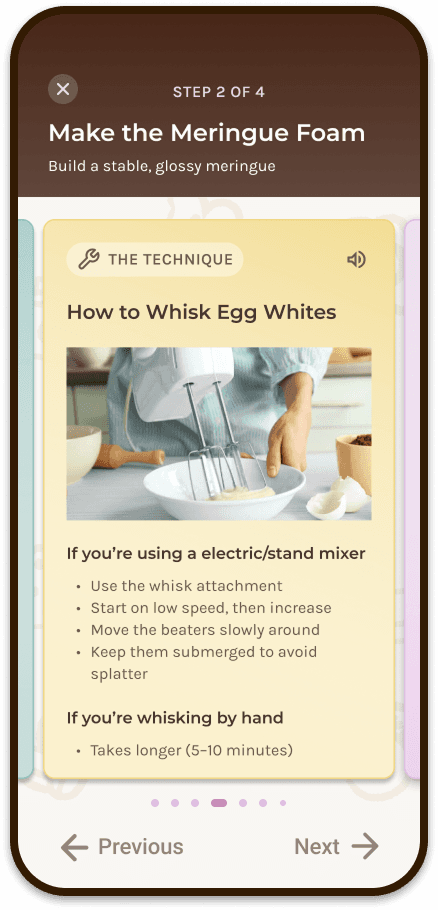
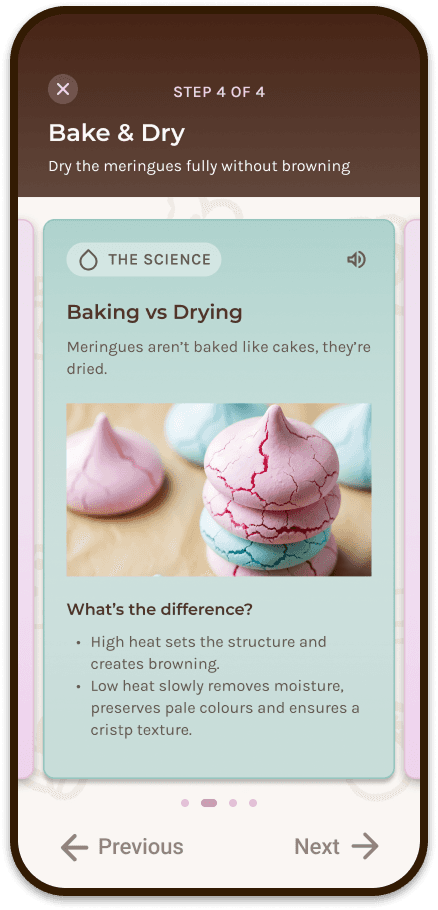


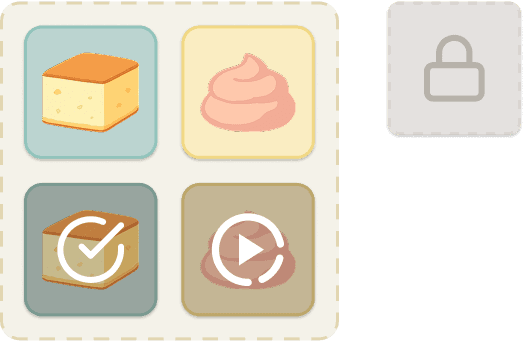
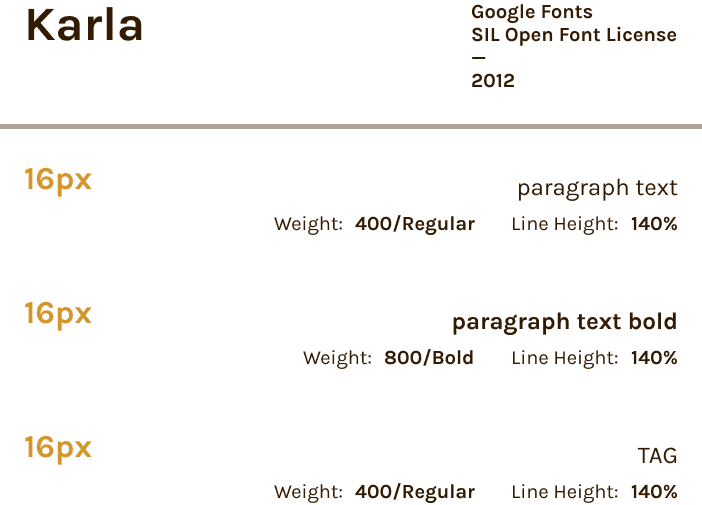
A simple and cohesive design system was developed to support consistency and clarity across the interface. The system uses warm tones, clear typography, and a structured spacing system to create a friendly and easy-to-navigate experience.
Main Palette
Extended: Grey
Extended: Mint
Extended: Buttercream
Extended: Cotton Candy
recipe icons
Tags

step navigation

icons

Headings

body
Banners

modal
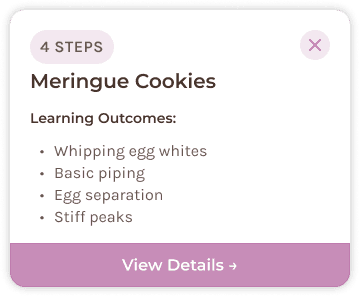
cards

REFLECTION
This project reinforced that thoughtful interaction design isn't about adding more features. It's about making complex experiences feel approachable. By simplifying information and designing with empathy, BiteSized showed me how small, intentional interactions can meaningfully build confidence in a user.
Beyond the final solution, this project pushed me to think more carefully about research, iteration, and systems thinking. It strengthened my ability to translate user insights into purposeful design decisions, and reminded me that the best ideas only get better through continuous feedback.


